A Google Wallet loyalty card is your punch card or points card, saved in the Google Wallet app on your customer's Android phone. Customers add it from a link or QR code, with no app of yours to install, and show it at the counter when they visit. For a small business, it means your Android customers get the same no-app card your iPhone customers get in Apple Wallet.
Plenty of loyalty guides talk mostly about Apple Wallet. This one is about the other half of your customers.
What Google Wallet is
Google Wallet is Google's wallet app for Android phones. People use it for payment cards, boarding passes, event tickets and loyalty cards. A loyalty card in Google Wallet sits alongside those, so it is in the same place your customer already looks when they are at a till.
Google's own developer documentation for loyalty cards describes passes being saved from links on websites, in email and in text messages, as well as from Android apps. So a business does not need an app of its own to get a card to customers. That is the part that matters for a small business: the card reaches the customer through a normal web link.
How an Android customer adds your card
From your customer's side, it takes a few taps:
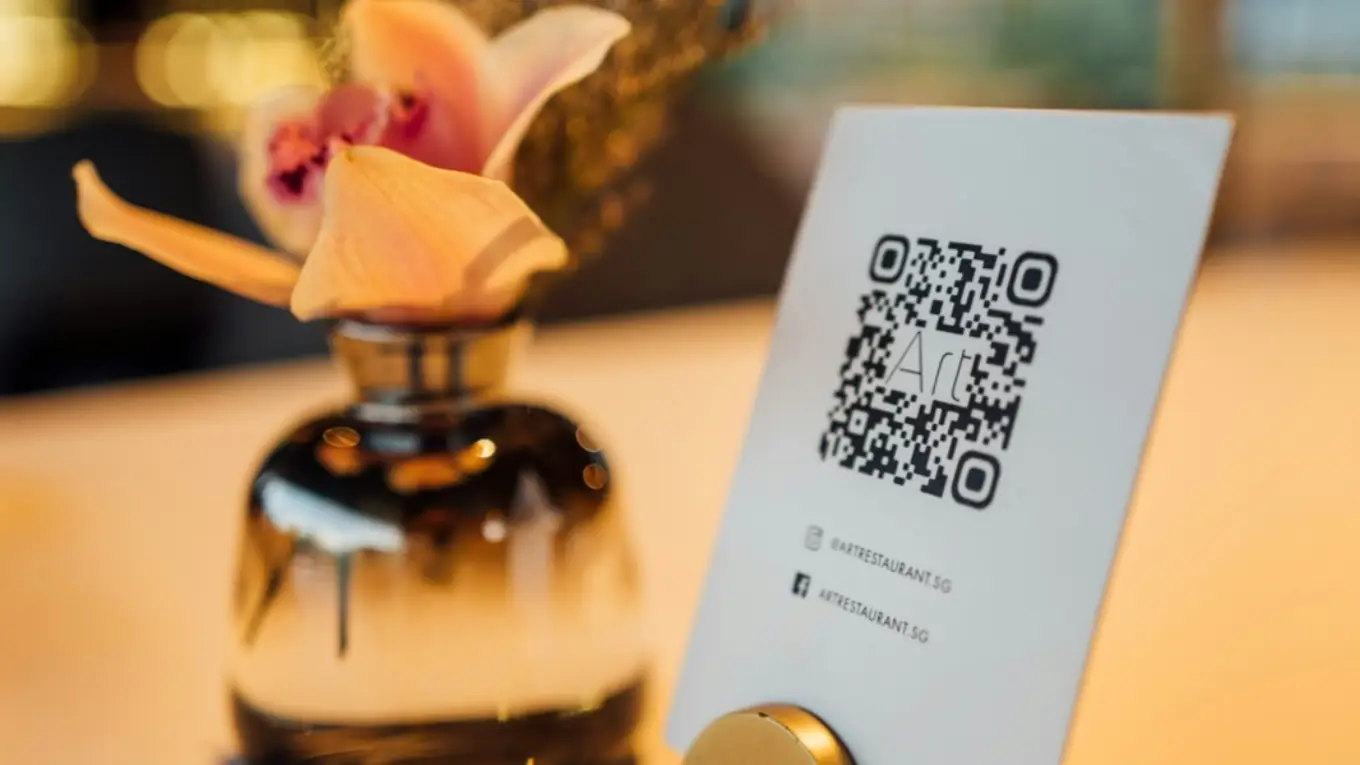
- They scan the QR code on your counter sign with their phone camera, or tap a link you shared.
- Your join page opens in their browser. No account and no download.
- They tap Add to Google Wallet.
- Google shows its own save screen with a preview of your card. They confirm, and the card is in Google Wallet.
According to Google's help page on managing Wallet items, the Add to Google Wallet option works when the person is signed in to their Google account on their phone, and if the Google Wallet app is not on the phone, they are prompted to download it to continue. Most Android customers are already signed in to Google, so for them it is a single confirmation.
If a customer gets stuck, point them to our customer help page on adding a loyalty card to Google Wallet or Apple Wallet. It works as a link you can send or print.
How it works at the counter
Once the card is saved, the visit looks like this:
- The customer opens Google Wallet and taps your card. It shows a QR code.
- Your staff scan that QR code with the Stallmark app on their own phone.
- Staff tap to add a stamp or points, or to redeem a reward.
- The card in the customer's Google Wallet updates after the visit with the new balance.
There is no terminal, no card reader and no point-of-sale integration. Your phone is the scanner. If you want to see what that looks like in more detail, our page on Google Wallet loyalty cards walks through it.
What your business needs
Less than you might expect:
- A phone. iPhone or Android, to run the Stallmark app and scan cards.
- A program. A punch card or points, with at least one reward. If you are not sure which, read punch cards vs points.
- A QR sign. The app gives you a printable counter flyer that links to your join page.
You do not need your own Google developer account, an Android app or any technical setup with Google. Stallmark issues the card to Google Wallet for you, from the same design you use for Apple Wallet. You design one card, and it goes to both wallets.
Google Wallet vs Apple Wallet, in plain terms
For your customers, the two wallets do the same job. The differences are mostly about which phone they carry.
| What differs | Google Wallet | Apple Wallet |
|---|---|---|
| Who uses it | Customers with Android phones | Customers with iPhones |
| Button on your join page | Add to Google Wallet | Add to Apple Wallet |
| What happens next | Google shows its save screen; the customer confirms | iPhone shows the card; the customer taps Add |
| At the counter | Open Google Wallet, tap the card, show the QR code | Open Wallet, tap the card, show the QR code |
| Balance updates | After each visit | After each visit |
| What you design | The same card for both | The same card for both |
One more difference worth knowing: Google Wallet is not available in every country, and Google keeps a list of where you can use Google Wallet. If most of your customers are in a country on that list, you are covered.
For a deeper look at both wallets, read Apple Wallet vs Google Wallet for loyalty cards.
Why supporting Android customers matters
Here is a simple way to see what you lose if your loyalty card only works on iPhone.
Worked example: a bakery's first month
This is an example. The phone split is made up; yours depends on your country and your neighborhood.
- 400 customers are asked to join in the first month.
- Assume 60% of them carry iPhones and 40% carry Android phones.
- An iPhone-only card can reach at most 240 of them.
- A card that works in both wallets can reach all 400.
That is 160 customers, in one month, who could not join at all with an iPhone-only card. Every one of them was standing at your counter, interested enough to ask. If you want to see what an extra visit or two from each of them is worth, the loyalty ROI calculator lets you plug in your own numbers.
A note on cards customers add themselves
Google Wallet also lets people add a card by taking a photo of a barcode. Some customers will try this with a paper or plastic card. A card added that way is a picture of the barcode saved in the customer's own wallet: it is not connected to your program, so it cannot show a balance or update after a visit.
A card issued by your loyalty program is different. It comes from your join page, carries your design, and its balance updates after each visit. That is what customers get when they scan your QR code and tap Add to Google Wallet.
Common questions
Do customers need to download an app to use a Google Wallet loyalty card? They do not need an app from your business. The card goes into Google Wallet. If Google Wallet is not already on their phone, Google prompts them to install it when they tap the button.
Does a Google Wallet loyalty card update automatically? With Stallmark, yes. When staff add a stamp or points, or redeem a reward, the card in Google Wallet updates after the visit.
Do I need a Google account or developer account as a business? No. Stallmark issues your card to Google Wallet. You only need the Stallmark app on your phone.
Can I use the same card for Android and iPhone customers? Yes. You design one card, and it goes to Google Wallet for Android customers and Apple Wallet for iPhone customers.
What does it cost? Stallmark is free for 7 days, then $39.99 a month per store, with unlimited customer cards on both wallets. See pricing.
Get Stallmark. Try it free for 7 days, then decide. No commitment, cancel anytime.